

MCP connector
Add the StyTrix MCP connector to your AI agent of choice — the same endpoint everywhere, OAuth sign-in, no API key.
StyTrix is a remote Model Context Protocol (MCP) server. Add it once in your agent and you can generate fashion concepts, models, and fabrics straight from chat or your terminal. The endpoint is the same everywhere: https://www.stytrix.com/api/mcp
Prefer the connector for chat assistants like Claude.ai. For terminal agents, use the StyTrix skill or the StyTrix CLI.
Claude.ai
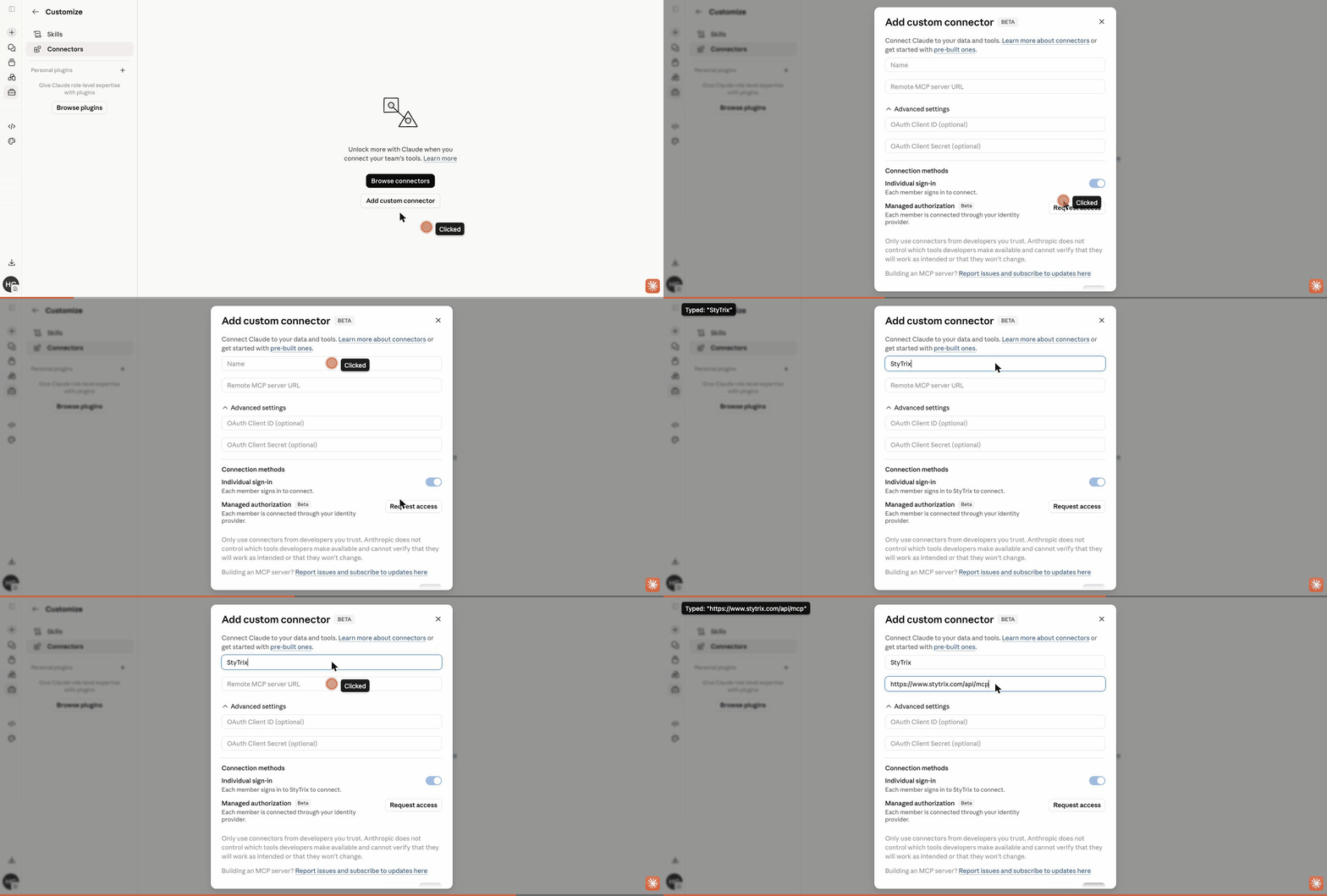
- Open Claude.ai → Settings → Connectors.
- Click Add custom connector.
- Paste the server URL
https://www.stytrix.com/api/mcpand click Add. - Click Connect and sign in with your StyTrix account when prompted (OAuth).
Claude Code
Run this once in your terminal — the first tool call opens a browser to authorize:
claude mcp add --transport http stytrix https://www.stytrix.com/api/mcpCursor
Add the server to .cursor/mcp.json (project) or your global Cursor MCP config, then reload Cursor and authorize when prompted:
{
  "mcpServers": {
    "stytrix": {
      "url": "https://www.stytrix.com/api/mcp"
    }
  }
}
OpenAI Codex
Add StyTrix to your Codex MCP config (TOML):
[mcp_servers.stytrix]
url = "https://www.stytrix.com/api/mcp"
Gemini CLI
Add StyTrix to your Gemini CLI settings.json:
{
  "mcpServers": {
    "stytrix": {
      "httpUrl": "https://www.stytrix.com/api/mcp"
    }
  }
}
Authentication
- StyTrix uses OAuth 2.1 with PKCE. There is no API key to copy or paste — your client opens a StyTrix sign-in page and receives a scoped token.
- Read-only tools (whoami, list projects, get credits) are free; generation tools use your StyTrix credits.
- Every tool acts only on the authenticated account, and you can revoke access anytime from your account settings.
Next steps
Connected? Run through the Quick start or browse the full tools reference.