

The StyTrix platform
StyTrix is an AI fashion design studio in your browser — describe a garment, model, or fabric and it appears on your canvas.
StyTrix turns words and reference images into finished fashion. Everything happens on an infinite design canvas: generate photorealistic garments from a sketch or a sentence, dress AI models, build front/side/back product kits, create fabric swatches, produce runway video, and polish results — all in one place, no design software required.
1. Create your account
Sign up at stytrix.com/sign-up. Your account holds your projects, your generated assets, and your credits. You can sign up free and explore before spending anything.
2. Get to know your workspace
From your dashboard, click New Project to open a blank canvas. The canvas has a few key parts:
- Tool sidebar (left) — every StyTrix tool, grouped into Core Generation Tools, Model Tools, and Universal Resources.
- The canvas — an infinite board where every result is placed as a real, editable object you can move, resize, and feed back into other tools.
- Minimap — overview of your board; double-click it to fit everything into view.
- Credits — shown in the corner. Generating spends credits; the cost of each action is shown on its Send button beforehand.
- Media Library — every image you generate is saved to your account and can be reused as input in any tool.
3. Make your first design
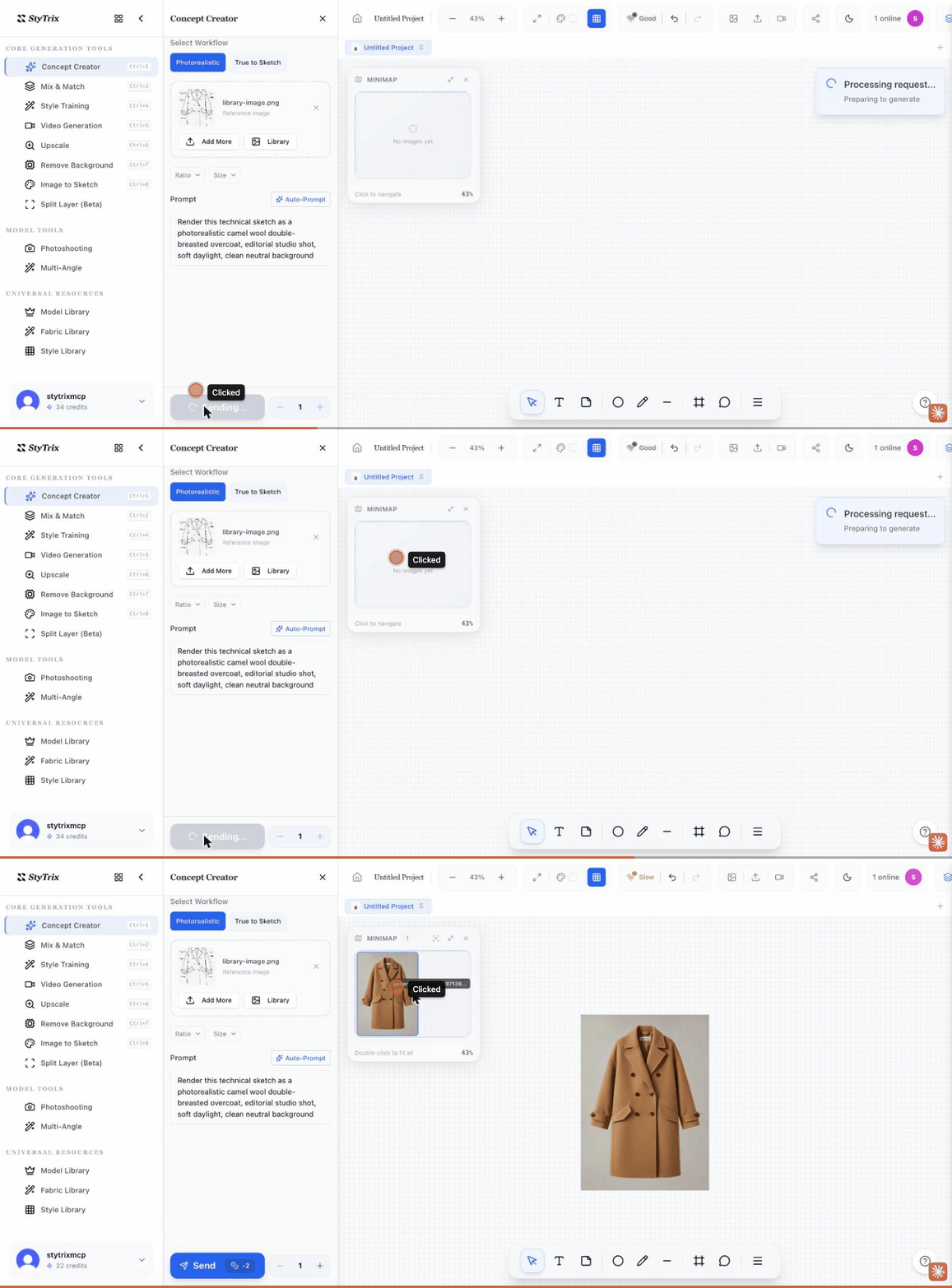
- In the sidebar, open Concept Creator (or press
Ctrl/⌘ + 1). - Type a prompt — e.g.
an oversized camel wool overcoat, editorial studio shot. Optionally add a reference image (a sketch or photo) via Library. - Press Send. A few seconds later your design appears on the canvas.
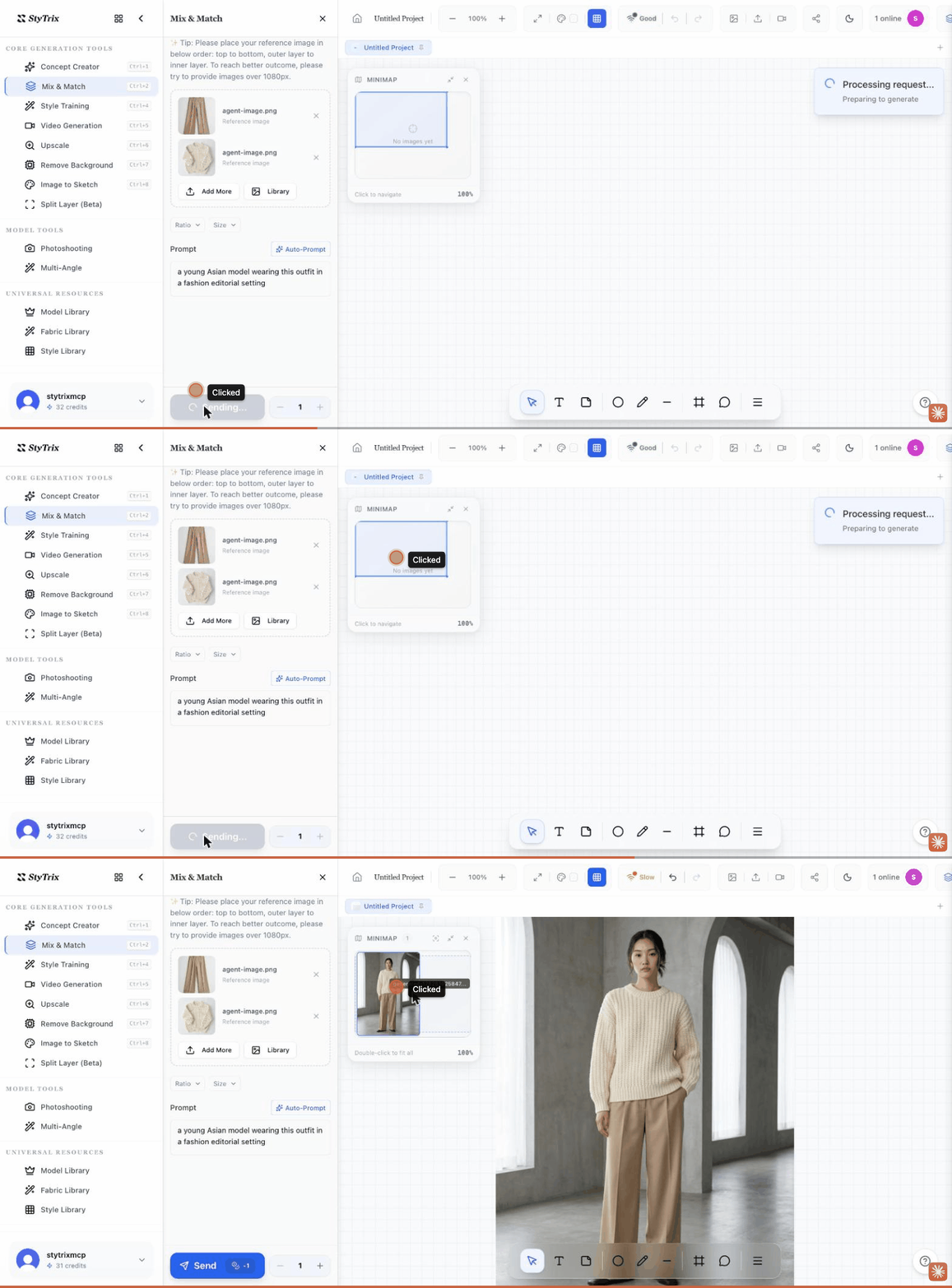
- Select the result to keep going — feed it into Multi-Angle, dress a model with Mix & Match, or Upscale it.
4. What you can create
StyTrix has 13 canvas tools. A quick tour:
- Generation — Concept Creator, Mix & Match, Style Training, Video Generation, Upscale, Remove Background, Image to Sketch, Split Layer. Guides →
- Model tools — Photoshooting and Multi-Angle. Guides →
- Resource libraries — Model, Fabric, and Style libraries. Guides →
New to the canvas? Using the canvas walks through the shared workflow behind every tool.